Christy Lynn
Quick answer: Coinbase Pro no longer exists. Coinbase phased it out and moved its features and customer balances into the main Coinbase app as Coinbase Advanced (originally called Advanced Trade). Today the real comparison is the simple Coinbase “Buy” experience versus Coinbase Advanced. Simple Buy is the easiest but costs more per trade because of a spread plus a fee. Advanced has charts, limit and stop orders, and lower maker-taker fees that drop as your trading volume rises. If you trade more than occasionally, use Advanced.
What happened to Coinbase Pro?
Coinbase Pro (formerly GDAX) was Coinbase’s separate platform for active traders, with lower fees and an order book. Coinbase announced in 2022 that it would retire Pro and replace it with Advanced Trade inside the main app, and Pro was fully shut down after customer balances were migrated. Your login, balances and history now all live in one Coinbase account.
Coinbase vs Coinbase Advanced at a glance
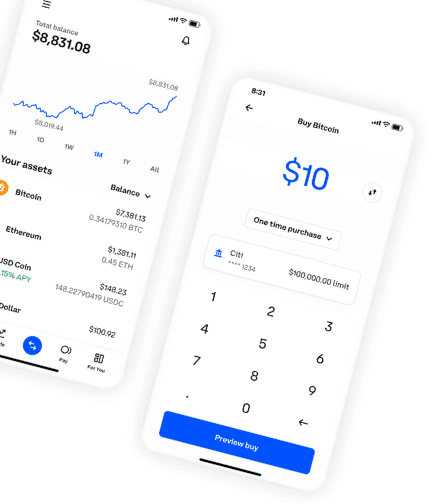
- Who it’s for: simple Buy suits beginners making occasional purchases. Advanced suits regular buyers and active traders.
- Order types: simple Buy offers market buys and recurring buys. Advanced adds limit, stop-limit and other order types.
- Fees: simple Buy includes a spread plus a transaction fee shown before you confirm. Advanced uses maker-taker fees with no spread on order-book trades, and rates fall as your 30-day volume rises.
- Charts and tools: simple Buy has basic price charts. Advanced has full TradingView-style charts and an order book.
- Same account: both use the same login, balances and security settings.
How much can you save with Coinbase Advanced?
On a simple Buy, the combined spread and fee can add up to a few percent on small purchases. Placing a limit order on Coinbase Advanced usually costs a fraction of that, and the savings grow as you trade more. Coinbase updated its Advanced fee tiers in September 2026, so check Coinbase’s official fee page for current rates in your country. Coinbase One subscribers also get fee-free trades up to a monthly limit.
How to switch to Coinbase Advanced
- Log in to Coinbase on the web or in the app.
- Switch to Advanced (on the web, from the trade menu; in the app, toggle to Advanced on the trade screen).
- Choose a trading pair such as BTC-USD.
- Select Limit, enter your price and amount, and place the order. Limit orders that add liquidity get the lower “maker” rate.
Which should you use?
- Use simple Buy if you buy rarely, want the easiest experience, or are making a small first purchase.
- Use Coinbase Advanced for larger or regular purchases, limit orders or active trading.
- Consider alternatives if fees are your top priority. See our Coinbase review and the best Coinbase alternatives.
New to Coinbase? Open an account.
Frequently asked questions
Is Coinbase Pro still available?
No. It was retired and replaced by Coinbase Advanced inside the main Coinbase app.
Did I lose my Coinbase Pro funds?
No. Balances were moved into customers’ main Coinbase accounts automatically.
Is Coinbase Advanced free?
No, but its maker-taker fees are generally much lower than simple Buy, and they decrease with higher trading volume.
Can I use Coinbase Advanced on mobile?
Yes. Coinbase Advanced is available in the Coinbase mobile app as well as on the web.