Christy Lynn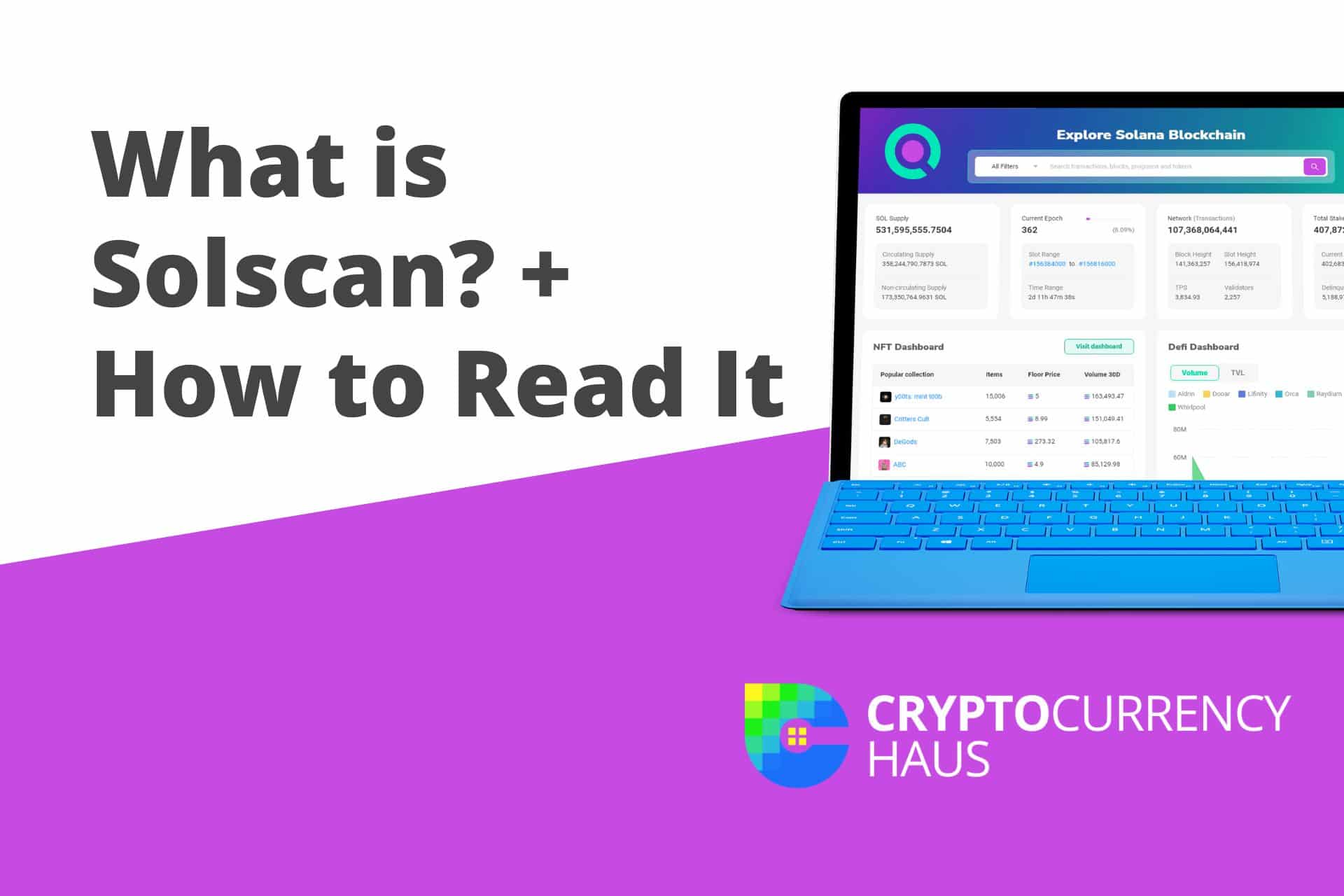
- Also learn about: How to buy Solana (SOL)
What is Solscan and How Does It Work?
Solscan updates and scans transactions on the blockchain in real-time. To retrieve details about any transaction you’ve carried out on Solana, you need to enter the necessary information on the search bar. This can be the transaction’s cryptocurrency’s ticker symbol or contract address. After doing this, the website redirects you to the specific cryptocurrency’s main page, and you can further use the blockchain explorer feature to view transactions that have taken place on the blockchain network. The “Search” function can be used to find specific addresses, transactions, and smart contracts.Quick answer: Solscan is a free block explorer for the Solana blockchain, a search engine for Solana activity. Paste in a wallet address, transaction signature or token address to see balances, transaction history, token details, NFTs and DeFi activity. It’s the easiest way to confirm a Solana transfer went through or to check a token before you buy it. Solscan is owned by Etherscan, the leading Ethereum explorer.
Solscan processes over 180 million data requests from 2 million users each month. The blockchain explorer is suitable for beginners and experts in the cryptocurrency space. It is perfect for exploring the blockchain network of a cryptocurrency.
Keep your keys offline with a Ledger
- Stops phishing and malware from moving your coins
- Supports thousands of coins and tokens
- Works with phone and desktop
Buy only from the official store. Affiliate link. Compare hardware wallets
Advantages of Using Solscan
If you use the Solana network frequently or other blockchain networks, blockchain explorers like Solscan provide you with a perfect opportunity to check the transparency of a blockchain network. Some of the pros of Solscan as a blockchain explorer are:- Clarity – Solscan helps you clarify transaction status on the blockchain. You can use it to keep track of cryptocurrency and crypto token transactions.
- Free access – Solscan is free to use! You may not even create an account before viewing transaction data. However, for a better experience, you can quickly and easily create a Solscan account.
- User-friendly layout – You can easily view essential information about the Solana blockchain from the homepage. You can also easily navigate your way around the Solscan explorer. It has a similar layout to Etherscan (Ethereum blockchain explorer).
- Quality features – Solscan has vital features that allow users access to critical information about Solana cryptocurrency, DeFi, and NFT ecosystems.
How to Read Solscan
On Solscan, you can track transactions, look up addresses, find tokens or view Solana’s DeFi and NFT ecosystem. Depending on which of these activities you want to carry out, there are different approaches.How To Track Transactions
Copy and paste the transaction’s unique signature into the Solscan search bar and press “Enter.” Your smart contract contains the unique signature of a transaction carried out on the blockchain. This unique signature is a long string of alphabets, numbers, and other characters which can be used to verify a transaction. Once you click “Enter,” all details associated with that particular transaction ID will be displayed.How To Verify Addresses
Verifying a wallet address is similar to the process of trading a transaction. However, you paste the wallet address on the search bar rather than pasting the transaction ID. Solscan displays all activities and transaction data related to the wallet. Verifying a wallet address before a transaction is essential to help confirm the validity of a project.How to View NFTs
You can view NFTs in the Solana marketplace using either the NFT tab on the homepage or the NFT dashboard. Solana has a well-developed NFT marketplace.How to Find Tokens
- Obtain the valid contract address of the token from CoinMarketCap or the official digital currency website.
- Paste it on the search bar on Solscan.
- Hit Enter.
Viewing DeFi Dashboard
Using the DeFi dashboard on Solscan’s Homepage, you can access the multiple decentralized exchanges available on Solana.Risks Associated with Solscan
Solscan is a helpful tool, undoubtedly. However, it comes with risks and is not 100 percent guaranteed. Below are some of the downsides associated with Solscan:- Solscan may give false positives – It may read an incorrect vulnerability in a smart contract. This will lead to the contract being rewritten and exposing it to even more vulnerabilities.
- Inaccurate reading – Because Solscan relies on a database of all known vulnerabilities to determine the vulnerability of a smart contract, a new vulnerability may go undetected b the blockchain explorer.
- Solscan is open-source software – Thus, it does not undergo the same scrutiny as other tools and could be vulnerable to bugs and security breaches.
- A security breach could be lethal – If hackers access Solscan, it can be used to launch an attack on the network.
The Bottom Line
Solscan is an essential tool for novice and experienced blockchain users. It is used by Venture capitalists like Alameda research and Solana ventures. Solscan is equivalent to Etherscan of Ethereum. You can learn about Solana vs. Ethereum here. It is your one-stop Solana blockchain explorer. There are usually many numbers and codes that make a blockchain look daunting, but Solscan makes it a whole lot easier. There are a few other alternatives to Solscan, like Solanascan and Blockchain. Depending on what you want to do, these alternatives might suit you better. It is necessary to note that while Solscan has proven effective over time, critical care should be exercised when using the tool. It is not 100 percent accurate. Aside from the analytical functions offered by Solscan, it also has enough educational resources for users to understand the Solana blockchain better. The platform is still developing and constantly adding new features to improve user experience.Free masterclass
Learn crypto the right way.
Christy Lynn’s free beginner course, straight to your inbox. Plain English, never spammy.
Join free and get one 5-minute lesson in your inbox every 1–2 days:
✅ What crypto actually is, in plain English
✅ The 5 safety rules that protect your money from scams
✅ Where to buy, and exactly how to invest your first $100
✅ How to store your crypto safely and earn staking rewards
✅ How to research coins and handle crypto taxes
No hype, no spam. Unsubscribe anytime.
Frequently Asked Questions
How do you use the Solscan Analytics Feature?Â
This feature helps obtain data on active Solscan accounts. You click on the Analytics dashboard and scroll to the bottom left of the Overview section. Information on active accounts is available on the situated chart.Â
Who should use Solscan?Â
Solscan is an excellent way to stay updated on your transaction status. Solscan is a good place to go when you are unsure about the state of a transaction. When you carry out transactions involving significant amounts, it isn’t fun wondering if the transaction made it through or not! To minimize such risks, split the money in bits and carry out the transaction intermittently. This is no surefire method, but it does mitigate risks.Â
Is Solscan safe to use?
Yes. Solscan only reads public blockchain data. You never need to connect a wallet or enter a recovery phrase to look something up. Be wary of fake explorer sites asking you to connect.
How do I check a Solana transaction on Solscan?
Copy the transaction signature from your wallet, paste it into Solscan’s search bar, and check the status shows “Success” or “Finalized.”
What is the difference between Solscan and Solana Explorer?
Both show Solana data. Solscan adds more analytics, token pages and NFT views, while Solana Explorer is the official, more basic tool.