Christy Lynn
Solana is one of the fastest and cheapest blockchains, home to busy DeFi, NFT and memecoin markets. To use it, you need a wallet that keeps your keys safe, supports staking and warns you before you sign something risky. We compared the leading Solana wallets on security, staking, features and ease of use.
Quick answer: The best Solana wallets in 2026 are Phantom (best overall and easiest for beginners), Solflare (best for staking), Backpack (great for active DeFi users), MetaMask (now supports Solana alongside Ethereum and Bitcoin) and a Ledger hardware wallet for maximum security. Avoid old wallets like Sollet and Solong, which are no longer maintained.

Pair a Ledger with Phantom or Solflare
- Keys stay offline
- Works with Solana apps and staking
- Supports thousands of coins
Buy only from the official store. Affiliate link. Compare hardware wallets
Best Solana wallets at a glance
| Wallet | Best for | Type | Staking | Hardware support |
|---|---|---|---|---|
| Phantom | Most users | Mobile and browser | Yes | Ledger |
| Solflare | Staking | Mobile and browser | Yes, advanced tools | Ledger |
| Backpack | Active DeFi users | Mobile and browser | Yes | Ledger |
| MetaMask | Ethereum users | Mobile and browser | Limited | Ledger, Trezor |
| Ledger | Maximum security | Hardware | Yes, via Ledger Wallet or partner wallets | Built in |
What to look for in a Solana wallet
- Security: self-custody, hardware-wallet support and transaction simulation that warns you before you sign something risky.
- Staking: easy SOL staking to earn rewards.
- NFT and token support: clear display of tokens and NFTs, including spam filtering.
- Usability: mobile and browser versions that sync.
The best Solana wallets
1. Phantom: best overall
Phantom is the most popular Solana wallet, with a clean mobile app and browser extension, built-in swaps, staking, NFT display and scam warnings that flag risky transactions before you approve them. It also supports Ethereum, Base and Bitcoin, so you can manage several chains in one app.
- Best for: beginners and everyday Solana users
- Watch out for: built-in swaps charge a small fee, so compare prices for large trades
2. Solflare: best for staking
Solflare is a Solana-native wallet with excellent staking tools, transaction simulation and Ledger support. It makes it easy to compare validators and split your stake across several of them.
- Best for: SOL holders who want to stake and keep control of their keys
3. Backpack: best for active DeFi users
Backpack is a fast, multi-chain wallet popular with Solana traders and DeFi users, with an integrated exchange product in some regions.
- Best for: frequent traders and DeFi power users
4. MetaMask: best if you also use Ethereum
MetaMask added native Solana support in May 2025, so you can manage SOL, ETH and BTC in one account. It’s a convenient choice if you already use MetaMask for Ethereum. See MetaMask vs Coinbase Wallet and is MetaMask safe.
5. Ledger: best hardware wallet for SOL
Pair a Ledger with Phantom or Solflare to keep your keys offline while still using Solana apps. Every transaction must be confirmed on the device itself, so a compromised computer can’t move your SOL. Trezor devices also support Solana through Trezor Suite.
Hot wallet vs hardware wallet
Phantom, Solflare, Backpack and MetaMask are “hot” wallets: they run on your phone or computer, which is convenient but exposed to malware and phishing. A hardware wallet keeps your keys on a separate device. The safest setup is to use a hot wallet for small, everyday amounts and connect a Ledger or Trezor for larger holdings.
How to set up a Solana wallet
- Download the wallet only from its official website or your phone’s official app store.
- Create a new wallet and write down your recovery phrase on paper. Never store it in a screenshot, email or cloud note.
- Set a strong password and enable biometric unlock on mobile.
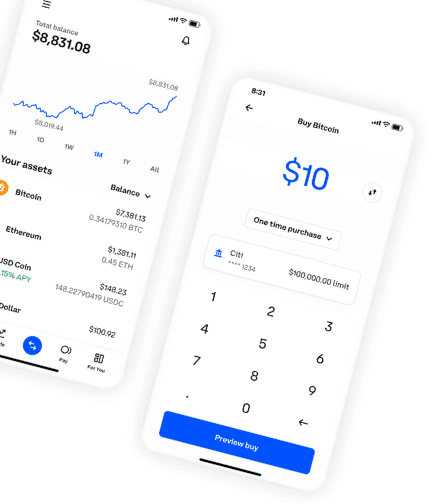
- Buy SOL on an exchange such as Coinbase or Kraken and withdraw it to your wallet address on the Solana network.
- Send a small test amount first, then the rest.

Buy Solana on Coinbase, then send it to your wallet
- Easiest app for beginners
- Free bank transfers
- New-user bonus paid in Bitcoin
Bonus terms are set by Coinbase. Affiliate link. How to buy Solana
How to stake SOL from your wallet
- Open the staking section in Phantom or Solflare.
- Choose a reputable validator. Look at commission, uptime and total stake, and avoid validators with very high commissions.
- Enter the amount and confirm. Rewards accrue each epoch, which is about every two days.
Staked SOL stays in your control, and you can unstake at any time, though it takes until the end of the current epoch to become available. Learn more in what is staking and compare the best staking platforms.
How to use a Ledger with Phantom
- Set up your Ledger with Ledger Wallet and install the Solana app on the device.
- Close Ledger Wallet, then open Phantom on your computer.
- In Phantom, choose Add / Connect Wallet, then Connect Hardware Wallet.
- Plug in and unlock your Ledger, open the Solana app and select the accounts to import.
- From now on, every transaction from those accounts must be approved on the Ledger’s screen.
Solflare and Backpack offer similar hardware-wallet connections. If you don’t own one yet, compare the best hardware wallets or shop the Ledger Nano X.
Solana wallet fees
Solana wallets are free to download. Network fees on Solana are usually a tiny fraction of a cent, though busy periods and optional priority fees can raise them. In-app swaps charge a small service fee on top of the network fee, so compare quotes for larger trades. Staking through a wallet is free apart from the validator’s commission, which is taken from your rewards.
Solana wallet safety tips
- Never share your recovery phrase. No legitimate support agent will ask for it.
- Ignore unknown tokens and NFTs that appear in your wallet. Interacting with “airdropped” scam tokens can drain your wallet.
- Read transaction warnings carefully before approving, and reject anything you don’t understand.
- Bookmark the apps you use and avoid links in DMs and replies.
- Periodically review and revoke app connections you no longer use.
See our guide to crypto scams.
The bottom line
Phantom is the best Solana wallet for most people, and Solflare is the best for staking. For larger amounts, connect either one to a Ledger hardware wallet so your keys never leave the device.
Pair a Ledger with Phantom or Solflare
- Keys stay offline
- Works with Solana apps and staking
- Supports thousands of coins
Buy only from the official store. Affiliate link. Compare hardware wallets
Frequently asked questions
What is the best Solana wallet?
Phantom is the best for most people. Solflare is best for staking, and a Ledger paired with either is the most secure option.
What is the safest Solana wallet?
A Ledger hardware wallet used with Phantom or Solflare.
Can I keep SOL on an exchange?
Yes, for small amounts, but a self-custody wallet gives you full control and lets you use Solana apps.
Can I stake SOL in Phantom?
Yes. Phantom and Solflare let you stake SOL with a validator directly from the app.
Does Trezor support Solana?
Yes. Trezor devices support Solana through Trezor Suite.
What happened to Sollet?
Sollet was an early Solana wallet linked to the FTX ecosystem and was deprecated in 2022.
Where can I buy SOL?
On exchanges such as Coinbase and Kraken. See how to buy Solana.
Are Solana wallets free?
Yes. Phantom, Solflare, Backpack and MetaMask are free to download and use. You only pay Solana network fees, swap fees and validator commissions on staking rewards.
Can I use one wallet for Solana and Ethereum?
Yes. Phantom and MetaMask both support Solana and Ethereum, so you can manage both from one app.