Christy Lynn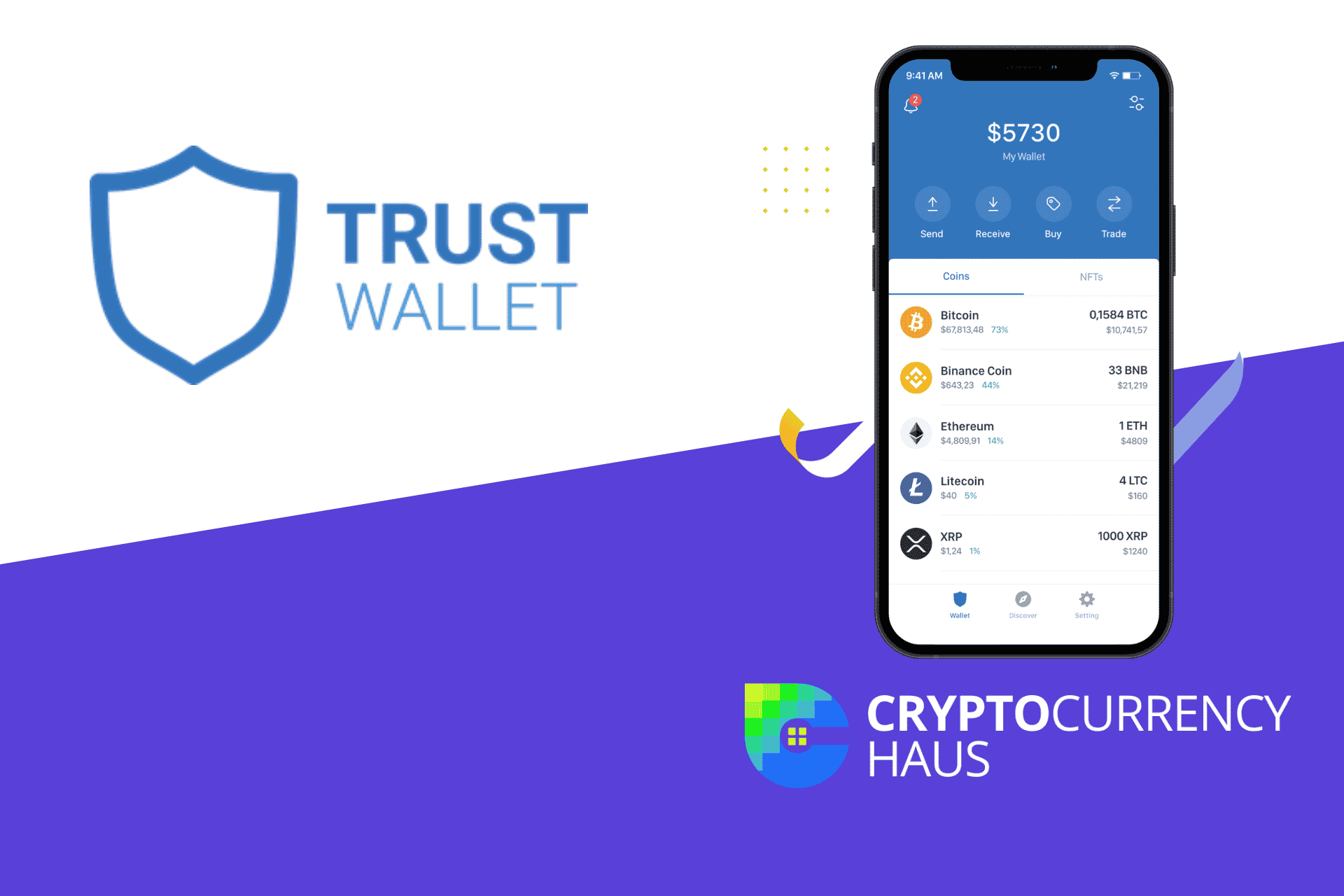
Trust Wallet is one of the best if you want a software wallet with high flexibility. Trust Wallet is an intuitive, easy-to-use cryptocurrency wallet that allows users to store multiple tokens, including Ethereum (ETH), Bitcoin (BTC), Litecoin (LTC), Ripple (XRP), and Bitcoin Cash (BCH). It also supports ERC20 tokens and Binance Coin (BNB). We’ll take a deeper dive in this Trust Wallet review.
You can send Bitcoin directly to one another within the app and manage your ERC20 tokens in real-time. The most impressive part of Trust Wallet is its cross-platform support. In other words, you can use it on your desktop, laptop, smartphone, and tablet.
Quick answer: Trust Wallet is a free, beginner-friendly self-custody wallet that supports millions of tokens across 100+ blockchains, with built-in swaps, staking and a dApp browser. It’s owned by Binance. The mobile app has a solid track record, but in December 2025 a compromised version of its Chrome browser extension (v2.68) let attackers steal roughly $7–8.5 million from about 2,500 users. Trust Wallet pledged to reimburse affected users. Keep the extension updated, or use the mobile app or a hardware wallet for larger balances.
What is Trust Wallet?
Trust Wallet is a self-custody crypto wallet, owned by Binance since 2018, available as a mobile app and a browser extension. It supports millions of tokens across more than 100 blockchains. In addition, it allows staking cryptocurrency coins to earn interest.

The app enables users to store, send and receive cryptocurrencies, including Bitcoin, Ethereum, and Litecoin. The app also supports the exchange of these digital assets with fiat currencies such as USD and EUR through an integrated exchange service called Changelly.

Keep your keys offline with a Ledger
- Stops phishing and malware from moving your coins
- Supports thousands of coins and tokens
- Works with phone and desktop
Buy only from the official store. Affiliate link. Compare hardware wallets
Trust Wallet History
Trust Wallet was launched in 2017 by US-based Ukrainian software developer Viktor Radchenko. He first heard about digital currencies through the use of on the dark web, but it was not Bitcoin but Ethereum that urged him to try his luck in the crypto industry.
He began to feel motivated when he developed a mobile application for truckers to find parking lots and other amenities. After successfully launching this tracking app, he gained the confidence to design a wallet that can hold ERC20 tokens acquired through ICOs.
Pros and Cons
| Pros | Cons |
| It supports over a million cryptocurrencies. | Lost Trust Wallet accounts cannot be recovered. |
| Very easy to buy cryptocurrencies in the wallet. | They limited dApps usage. |
| You can stake it directly from the wallet. | |
| Convenient setup on Androids and iOS. |
Features of Trust Wallet
The main feature of Trust Wallet is a multifunctional wallet that supports multiple blockchains. In addition, it allows users to transact in cryptocurrency and non-fungible tokens (NFTs). As a result, the wallet supports more than 1 million tokens while allowing users to purchase many different cryptocurrencies through third-party providers such as MoonPay, Ramp Network, Simplex and Transak.
Top 5 supported cryptocurrencies:
- Bitcoin
- Ethereum
- BNB Coin
- Litecoin
- Solana
Security
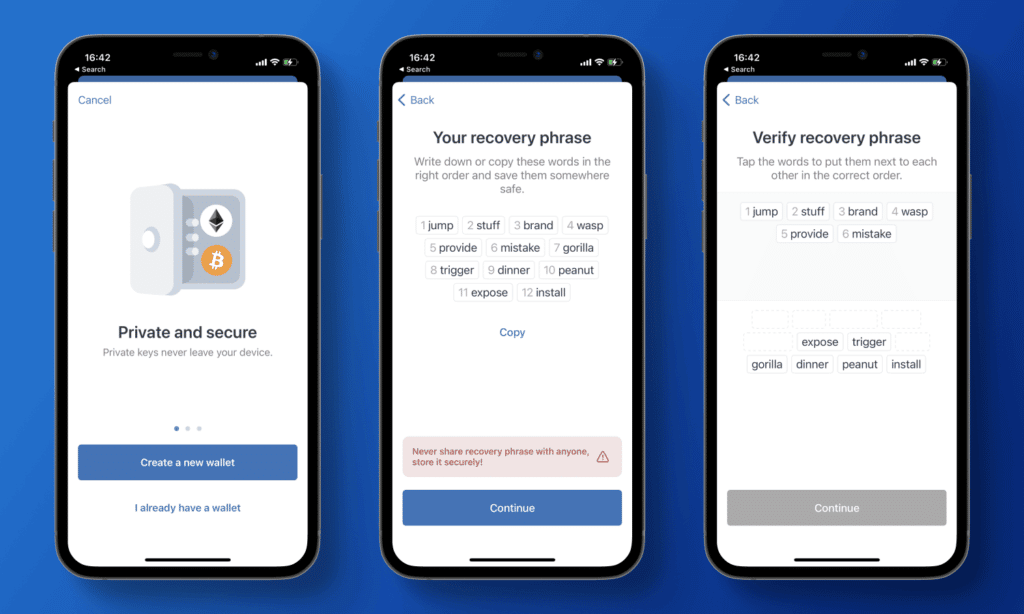
Although Trust Wallet’s biggest advantage is flexibility, its major con may be security. The wallet is accessible on mobile devices and Apple M1-powered computers using either a PIN or biometrics (a face scan or fingerprint) and is also secured by a 12-word secret phrase.
To take your transactions to an extra level of security, you can use the Trust wallet app’s integration with the Brave browser. Using this will allow you to have Brave serve as your browser without any extra work. Just install the extension for Chrome or Firefox and go about your business as usual. The extension also works with Opera and Vivaldi browsers.
Privacy
Trust Wallet is a popular app among privacy-conscious cryptocurrency investors. Users do not have to share identifiable information when they get started because the app is decentralized and user-controlled. They will only have to potentially provide information about themselves (like name, address, and government ID) when they buy cryptocurrency from one of their partners.
Setup
Getting set up with Trust Wallet is a very easy process. The first step is downloading the app, then running it. After installing and opening, users will be prompted to either import an existing wallet or create one from scratch. Suppose you already have a wallet set up with MetaMask or MyEtherWallet. In that case, you can transfer your data over in one of three ways: use your seed phrase to migrate to Trust Wallet, move using your Keystore file or private key, or create a backup of your information before attempting a migration.
Those setting up new wallets will be prompted to accept our terms of usage and get their 12-word secret recovery phrase saved. After saving it, the setup will prompt them again to input that recovery phrase into the app to ensure they have it. Once complete, their wallets are ready for use!
Customer Service
Although Trust Wallet offers a wide range of services—including sending money and storing cryptocurrency—it has limited customer support. Users can find answers to most questions on the company’s self-help center and community forum. If an answer isn’t in one of those two sections, users can also contact Trust Wallet for assistance using a ticketing system for direct email support.
In addition to technical issues, Trust Wallet does not collect user information, so customer service can’t help individuals recover their PIN or 12-word secret phrases to access their account. If coins get sent across blockchains, and those tokens are lost forever, there is no way Trust Wallet can assist customers in getting them back.
Fees
Trust Wallet is free to download, set up, and use. It does not charge fees for sending cryptocurrencies and NFTs to other wallets or smart contracts. However, users will be responsible for paying gas fees when using Trust Wallet to purchase cryptocurrency on third-party exchanges. Furthermore, Trust Wallet charges an extra fee on cryptocurrency purchases made through their app, but this fee is waived if the user holds TWT tokens in a wallet.
Security incident: the December 2025 browser extension hack
Between December 24 and 26, 2025, attackers who had stolen Trust Wallet’s Chrome Web Store credentials published a malicious version (2.68) of the browser extension. Anyone logged in to that version could have their private keys sent to the attackers, and roughly $7–8.5 million was stolen from about 2,500 wallets. The mobile app and other extension versions were not affected. Trust Wallet released a clean version and pledged to reimburse affected users.
What this means for you:
- Keep wallet apps and extensions updated, and only install them from official links.
- If you used extension version 2.68, move your funds to a new wallet with a new recovery phrase.
- For larger balances, consider a hardware wallet, which keeps keys off your computer.
The Bottom Line
Trust Wallet has a unique approach to cryptocurrency, focusing on support for more than 1 million coins across multiple networks. It’s available on mobile and as a browser extension, which makes it convenient for everyday use. Trust Wallet has many upsides for those living in a place where more users accept crypto payments or want to hold many coins in one place.
Free masterclass
Learn crypto the right way.
Christy Lynn’s free beginner course, straight to your inbox. Plain English, never spammy.

Join free and get one 5-minute lesson in your inbox every 1–2 days:
✅ What crypto actually is, in plain English
✅ The 5 safety rules that protect your money from scams
✅ Where to buy, and exactly how to invest your first $100
✅ How to store your crypto safely and earn staking rewards
✅ How to research coins and handle crypto taxes
No hype, no spam. Unsubscribe anytime.
Frequently asked questions
Is Trust Wallet safe?
The mobile app has a good security record, and you control your own keys. The December 2025 extension incident shows why you should keep software updated and use a hardware wallet for large amounts.
Who owns Trust Wallet?
Binance acquired Trust Wallet in 2018, but it remains a self-custody wallet: Binance can’t access your funds.
Does Trust Wallet charge fees?
The app is free. You pay network fees, and swaps or purchases through partners may include extra fees.
Can I recover my wallet if I lose my phone?
Yes, using your 12-word recovery phrase. Without it, no one, including Trust Wallet, can recover your funds.