Christy Lynn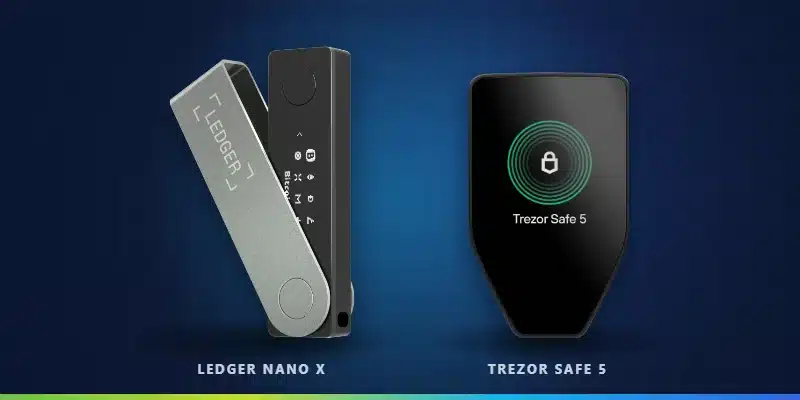
Ledger and Trezor make the two most popular crypto hardware wallets, and both will keep your coins far safer than an exchange or phone wallet. They take different approaches, though: Ledger focuses on convenience and the widest coin support, while Trezor is built around fully open-source software. Here’s how to choose in 2026.
Quick answer: Ledger is best for most people thanks to Bluetooth, mobile convenience and the widest coin and token support, with the Ledger Nano X as the top all-rounder. Trezor is best if you want fully open-source firmware and a transparent security model, with the Trezor Safe 5 as the best value touchscreen model and the Safe 3 as the best budget wallet. Both are reputable and far safer than leaving crypto on an exchange.

Ledger Nano X: best for most people
- Bluetooth for phone and desktop
- Widest coin and token support
- Secure element chip
Buy only from the official store. Affiliate link.
Prices change often and both brands run frequent sales, so we compare models by price range. Always buy directly from the official store.
Ledger vs Trezor at a glance
| Ledger | Trezor | |
|---|---|---|
| Best for | Convenience and widest coin support | Open-source transparency |
| Firmware | Partly closed source | Fully open source |
| Secure element | Yes, on all current models | Yes, on Safe 3, Safe 5 and Safe 7 |
| Bluetooth | Nano X, Nano Gen5, Flex and Stax | Safe 7 |
| Budget model | Nano S Plus ($69) | Safe 3 ($59) |
| Mid-range model | Nano X ($99) | Safe 5 ($129) |
| Premium models | Nano Gen5, Flex, Stax (about $179 to $399) | Safe 7 (about $249) |
| Companion app | Ledger Wallet, formerly Ledger Live (desktop and mobile) | Trezor Suite (desktop and mobile) |
| Wallet | Best for | Highlights | |
|---|---|---|---|
| Ledger Nano X Best overall | Most people | Bluetooth, thousands of coins and tokens, secure element | Shop Ledger |
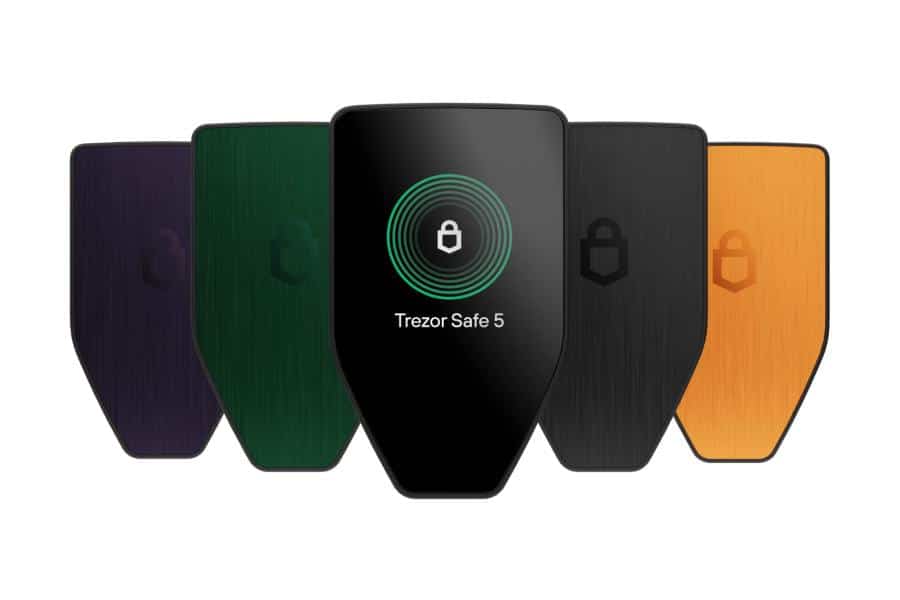
| Trezor Safe 5 Best open source | Transparency fans | Open-source firmware, color touchscreen, secure element | Shop Trezor |
| Ledger Nano S Plus | Budget Ledger | Under $100, same coin support as the Nano X | Shop Ledger |
| Trezor Safe 3 | Budget open source | Under $100, open-source firmware, secure element | Shop Trezor |
Security
Both brands use certified secure element chips on their current devices, require a PIN, and make you confirm every transaction on the device’s own screen, so malware on your computer can’t quietly move your coins. Both let you add an optional passphrase for an extra layer of protection.
The main difference is philosophy. Trezor’s firmware is fully open source, so independent researchers can inspect every line. Ledger’s secure element firmware is closed source, which Ledger argues protects against attackers but requires more trust in the company. In 2023, Ledger faced criticism over Ledger Recover, an optional paid service that can back up your recovery phrase in encrypted shards; it’s off by default and only used if you opt in. Ledger also suffered a 2020 customer-data leak that led to phishing attempts against its customers.
Coin and token support
Ledger supports the broadest range of coins and tokens, including thousands of Ethereum, Solana and other network tokens through Ledger Wallet and partner wallets. Trezor supports all the major coins, including Bitcoin, Ethereum, Solana, Cardano and XRP, plus many tokens, but its list is somewhat shorter. If you hold lots of smaller altcoins, Ledger is the safer bet; if you mainly hold Bitcoin and other large coins, either works.
Ease of use and mobile
Ledger’s Bluetooth models (Nano X, Nano Gen5, Flex and Stax) pair with the Ledger Wallet mobile app, which makes managing crypto from your phone easy. Trezor’s Safe 3 and Safe 5 connect by USB-C, and the newer Safe 7 adds Bluetooth. Touchscreen models from both brands, such as the Trezor Safe 5 and Ledger Flex, make it much easier to check addresses and approve transactions than two-button devices.
Models compared by price
Budget: Ledger Nano S Plus vs Trezor Safe 3
Both cost under $100. The Nano S Plus gives you Ledger’s wide coin support and app ecosystem, while the Safe 3 offers open-source firmware with a secure element. Neither has Bluetooth. For most first-time buyers either is an excellent choice.
Shop Nano S Plus Shop Trezor Safe 3
Mid-range: Ledger Nano X vs Trezor Safe 5
The Nano X adds Bluetooth for phone use; the Safe 5 adds a color touchscreen with haptic feedback. Choose the Nano X if you manage crypto mostly from your phone, and the Safe 5 if you want the easiest screen to read on desktop and value open source. Read our full Ledger Nano X review and Trezor Safe 5 review.
Premium: Ledger Flex and Stax vs Trezor Safe 7
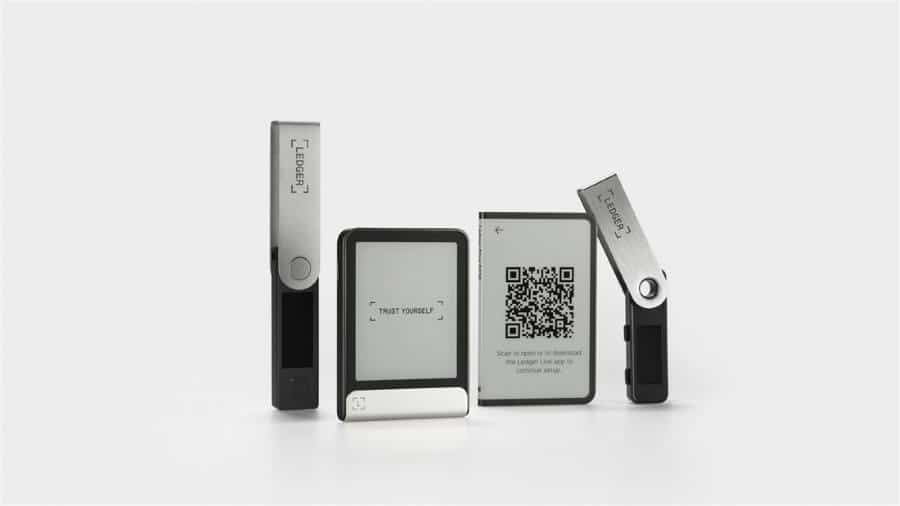
Ledger’s Flex and Stax use large E Ink touchscreens with Bluetooth and NFC, and the Stax adds wireless charging. Trezor’s Safe 7 brings a larger color screen, Bluetooth, a new TROPIC01 secure chip and water and dust resistance. These make sense for larger portfolios or anyone who wants the clearest display. Compare every model in the best hardware wallets.
Pros and cons
Ledger pros
- Widest coin and token support
- Bluetooth on most models
- Polished Ledger Wallet app
- Premium E Ink touchscreen options
Ledger cons
- Firmware partly closed source
- 2020 customer-data leak
- Ledger Recover controversy
Trezor pros
- Fully open-source firmware
- Excellent touchscreen on the Safe 5
- Strong reputation for transparency
- Great budget pick in the Safe 3
Trezor cons
- Fewer supported tokens than Ledger
- Bluetooth only on the Safe 7
- Smaller premium lineup
How to buy a hardware wallet safely
- Buy only from the official Ledger or Trezor store or an authorized reseller.
- Never buy a used or pre-opened device, and never accept one that arrives with a recovery phrase already filled in.
- Install Ledger Wallet or Trezor Suite only from the official website.
- Write your recovery phrase on paper or a metal backup, and never type it into a website, app or chat.
- Send a small test amount first, then move the rest.
Learn how scammers target hardware wallet owners in our guide to crypto scams.
Which should you choose?
- Choose Ledger if you want Bluetooth and mobile convenience, hold many different tokens, or want a premium E Ink touchscreen.
- Choose Trezor if open-source firmware matters to you, you mainly hold major coins, or you want the best-value touchscreen in the Safe 5.
- On a budget? The Nano S Plus and Safe 3 are both excellent first hardware wallets.
The bottom line
You can’t go wrong with either brand. For most people the Ledger Nano X is the best all-rounder, while the Trezor Safe 5 is the best choice if you value open-source transparency. Whichever you buy, get it from the official store and protect your recovery phrase.

Trezor Safe 5: best open-source pick
- Fully open-source firmware
- Color touchscreen with haptics
- EAL6+ secure element
Buy only from the official Trezor store. Affiliate link.
Frequently asked questions
Is Ledger or Trezor better?
Ledger is better for convenience and coin support; Trezor is better for open-source transparency. Both are secure and reputable.
Is Ledger safe after the data leak?
Yes. The 2020 leak exposed customer contact details, not funds or recovery phrases. Your coins are safe as long as you never share your recovery phrase and ignore phishing messages.
What is Ledger Recover?
An optional paid service that backs up your recovery phrase in encrypted shards with third parties. It’s off by default, and you don’t need it to use a Ledger.
Does Trezor have Bluetooth?
Only the Trezor Safe 7. The Safe 3 and Safe 5 connect by USB-C.
Which supports more coins?
Ledger supports more coins and tokens, though Trezor covers all the major ones.
Can I use Ledger or Trezor with MetaMask?
Yes. Both connect to MetaMask and other popular wallets so you can use DeFi while your keys stay on the device.
What happens if I lose my Ledger or Trezor?
You can restore your crypto on a new device using your recovery phrase. Newer Trezor models may create a 20-word backup that only Trezor and compatible wallets can restore, so a replacement from the same brand is simplest.